


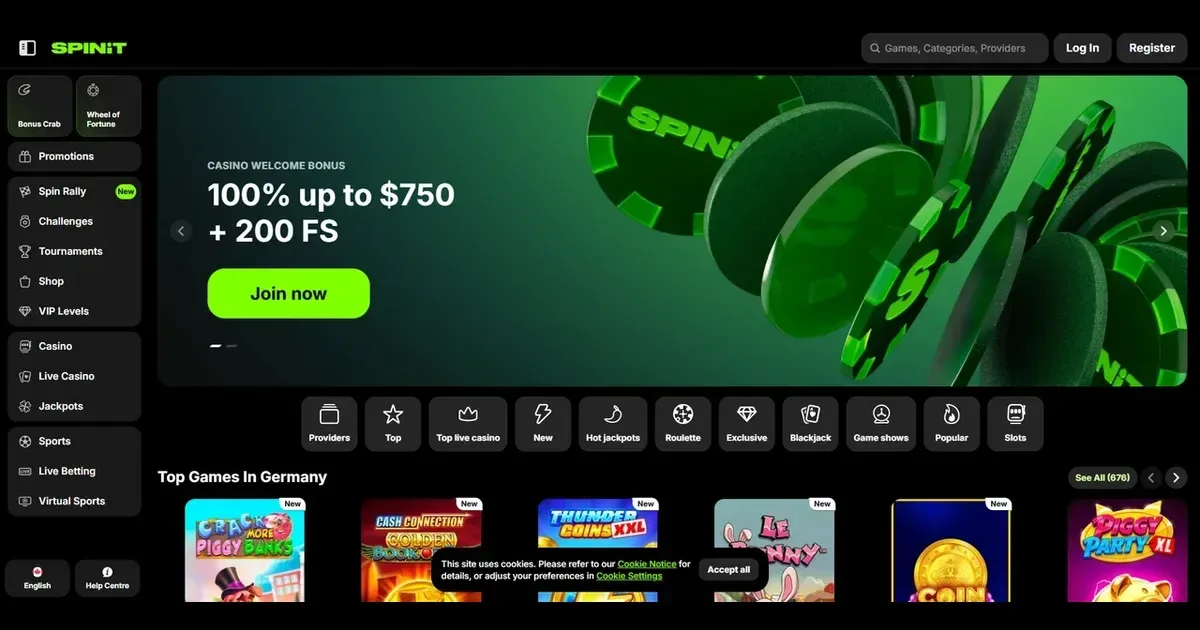
Spinit runs entirely in a mobile browser – no application to install, no store listing to chase. You reach the same library and cashier from a phone as you would on a desktop, using the account you already have. The site detects the screen size and adjusts the layout automatically.
The operator supports play from iOS, Android and most devices with a modern browser. Connection quality matters more than the hardware: a stable 4G or Wi-Fi link keeps the live tables smooth and the slots responsive.
What is worse or missing on a small screen
Multi-tabling live games becomes awkward on a phone – the screen real estate simply is not there. Filters in the game lobby work, but scrolling through over 4,000 titles takes longer than it does on a larger display.
The verification upload flow – scanning and submitting ID, proof of address, payment method ownership – can be fiddly on a phone camera. A poorly lit photo or a cropped edge means resubmission, and documents must arrive within 30 days of the operator's request.
Tournament leaderboards and the Wheel of Fortune mini-game render in a single column on narrow screens, which makes tracking your position slower. The Shop, where Coins are exchanged for bonuses and free spins, loads all tiers at once rather than in a navigable tree.
| Feature | Desktop | Mobile browser |
|---|---|---|
| Game filters | Full sidebar | Dropdown menu |
| Live chat | Persistent widget | Overlay, hides game |
| Document upload | Drag and drop | Camera or gallery |
| Multi-table live games | Side by side | One at a time |
The parts that do not shrink well
The VIP level indicator – showing your current tier, the withdrawal limits it unlocks and the Coins needed for the next level – is pushed to a separate Account page on mobile rather than displayed in the header. Checking it mid-session means navigating away from the game.
Bonus terms, especially the excluded and prohibited game lists, span 50 excluded titles and dozens of prohibited ones. Reading the full list on a phone means repeated scrolling, and it is easy to miss a restriction buried halfway down.
Playing from a phone – how access works
Reaching Spinit from a mobile device takes three steps, and none of them involves an app store.
- Open your phone's browser – Safari, Chrome, Firefox or Edge all work.
- Type the operator's address into the URL bar, or tap a bookmark if you have saved one. The site loads a mobile-optimised layout automatically.
- Sign in with the same credentials you use on a desktop. If you have not registered yet, the sign-up form is a shorter version of the desktop one, asking for email, password, currency and date of birth.
The operator runs no native iOS or Android application. Every session happens in the browser, which means no download, no update prompts and no storage taken up on your device.
You can add a shortcut to your home screen on iOS (tap Share, then "Add to Home Screen") or Android (tap the menu and select "Add to Home screen"). This saves a link, not a standalone app – tapping it opens the site in your default browser.
What a player can actually do from a phone
The mobile site grants access to the full game library – slots, live tables, jackpots and the sportsbook all load in the browser. Filters by provider, category and feature still work, though the list scrolls vertically rather than spreading across columns.
The cashier opens from a menu icon in the top corner. Deposit and withdrawal forms mirror the desktop versions: you select a method, enter an amount and confirm. The same limits apply – VIP Level 1 players face a daily withdrawal cap of 500 EUR, rising through the tiers to 1,500 EUR at Level 5.
Verification documents can be uploaded directly from the phone. The form accepts photos taken in-browser or selected from the gallery. Acceptable formats include JPG, PNG and PDF for ID, proof of residence and payment method statements.
Live chat sits behind a speech-bubble icon and opens as an overlay, covering the game beneath it. The 24/7 support team responds the same way it does on desktop. Email queries sent to [email protected] continue to work, and replies arrive in your inbox regardless of the device used.
The cashier and wagering on a small screen
Deposit methods load as a scrollable list rather than a grid. The operator accepts credit and debit cards, bank transfers and other methods – the terms reference these categories without naming specific providers or cryptocurrencies.
The minimum monthly wagering threshold of 20 EUR applies whether you play from a phone or a computer. Fall short and the operator can decline a withdrawal request until the threshold is met. A 10% fee (minimum 0.5 EUR, rising to 15% for card and bank transfer deposits) is charged if you try to withdraw before wagering the deposit at least once.
Pending withdrawals appear in the account history. The operator allows up to three pending requests at any time, and the financial department processes them between 6 AM and 5 PM GMT, Monday to Friday. A request submitted late Friday waits until the following Monday.
Battery, connection and session length
Slots and table games in HTML5 draw less power than older Flash versions did, but a long session on mobile data still drains the battery faster than Wi-Fi play. Live dealer streams – especially multi-camera tables – consume more bandwidth and more charge than static slot reels.
A dropped connection mid-spin does not void the bet. The game state is held server-side, and reopening the browser returns you to the result. Live tables handle disconnections the same way: the hand plays out, and your balance updates when you reconnect.
The operator enforces a 5 EUR monthly dormant account fee after 180 days of inactivity. Playing from a phone counts as activity – a single deposit or a single wagered spin resets the clock.
What to check before a session on the move
Set deposit and loss limits before you start, not during play. The responsible gambling tools live in the account settings, and applying them mid-session means navigating away from the game. A daily deposit cap or a loss limit gives you a hard stop that works whether the device is in your hand or not.
Check the address bar after signing in. Phishing sites that mimic the operator's layout exist, and a phone's smaller screen makes the URL harder to inspect. Bookmark the legitimate address after your first visit.
Sign out when you finish, especially on a device shared with others or used in a public space. The operator's terms make you responsible for activity on your account, and a session left open is a session someone else can use.
Avoid playing on public Wi-Fi without a VPN. Unencrypted networks expose login credentials and payment details. Mobile data or a secured home connection is safer.
Practical limits and what they mean on a phone
The maximum bet while a bonus is active – 100 EUR and equivalents – applies the same way on mobile as it does on desktop. Exceed it and the bonus, and any winnings derived from it, are voided. Slots with adjustable paylines can breach this cap if every line is activated at a high stake, so check the total bet before spinning.
The operator tracks your VIP level based on activity over the preceding 90 days. A month without placing bets drops you to Level 1 automatically, and the higher withdrawal limits disappear with it. Playing exclusively from a phone does not change this – the 90-day window runs on real-money wagers, not the device used.
Free spins earned through bonuses or the Wheel of Fortune must be used within seven days. Winnings from them carry a 40× wagering requirement and are capped at figures ranging from 50 EUR to 100 EUR depending on the number of spins. These expiry timers run whether you open the site or not, so a spin left unused on a Friday is gone by the following week.
Staying in control on a device you always carry
A phone in your pocket is a casino in your pocket. The convenience that makes mobile play appealing is the same thing that makes it harder to walk away.
The operator offers self-exclusion by email request to [email protected]. No duration is specified in the terms, so state the timeframe you need when you write. Exclusion applies across devices – activating it from a phone locks the account on desktop as well.
Gamification features – the Wheel of Fortune, Weekly Challenges, the Coins Shop – are designed to keep you engaged. These mechanics work the same way on mobile as they do elsewhere, and a phone notification or an open browser tab makes it easier to return between sessions than it would be on a computer you only use at home.
For free, confidential support in the UK, contact GamCare on 0808 8020 133 (24/7) or visit BeGambleAware.org. Self-exclusion across all UK-licensed sites is available through GamStop. Blocking software such as Gamban or BetBlocker works on mobile devices as well as desktops.
This site is for players aged 18 and over (18+). If gambling stops feeling like entertainment, help is free and confidential at BeGambleAware.org.